I migrated my website to Astro, and it was a delightful experience. In this post, I’ll share why I did it and why I’m loving Astro.
I’ve been using Node.js, SvelteKit, PostgreSQL, and Meilisearch (later ParadeDB) for my website for a while. Before that, it used PHP and handwritten HTML.
When I was using PHP, I always felt the website was sluggish. It wasn’t because the language was slow (it doesn’t matter in my case, I get only a handful of visitors per month), but because of how I deployed it: no OPcache, no HTTP caching headers, and a cheap shared host.
“Classic” PHP handles each request from scratch: receive the request, execute scripts, send a response, tear down, and repeat.
The website used PHP until late 2023. Here’s how it looked back then:
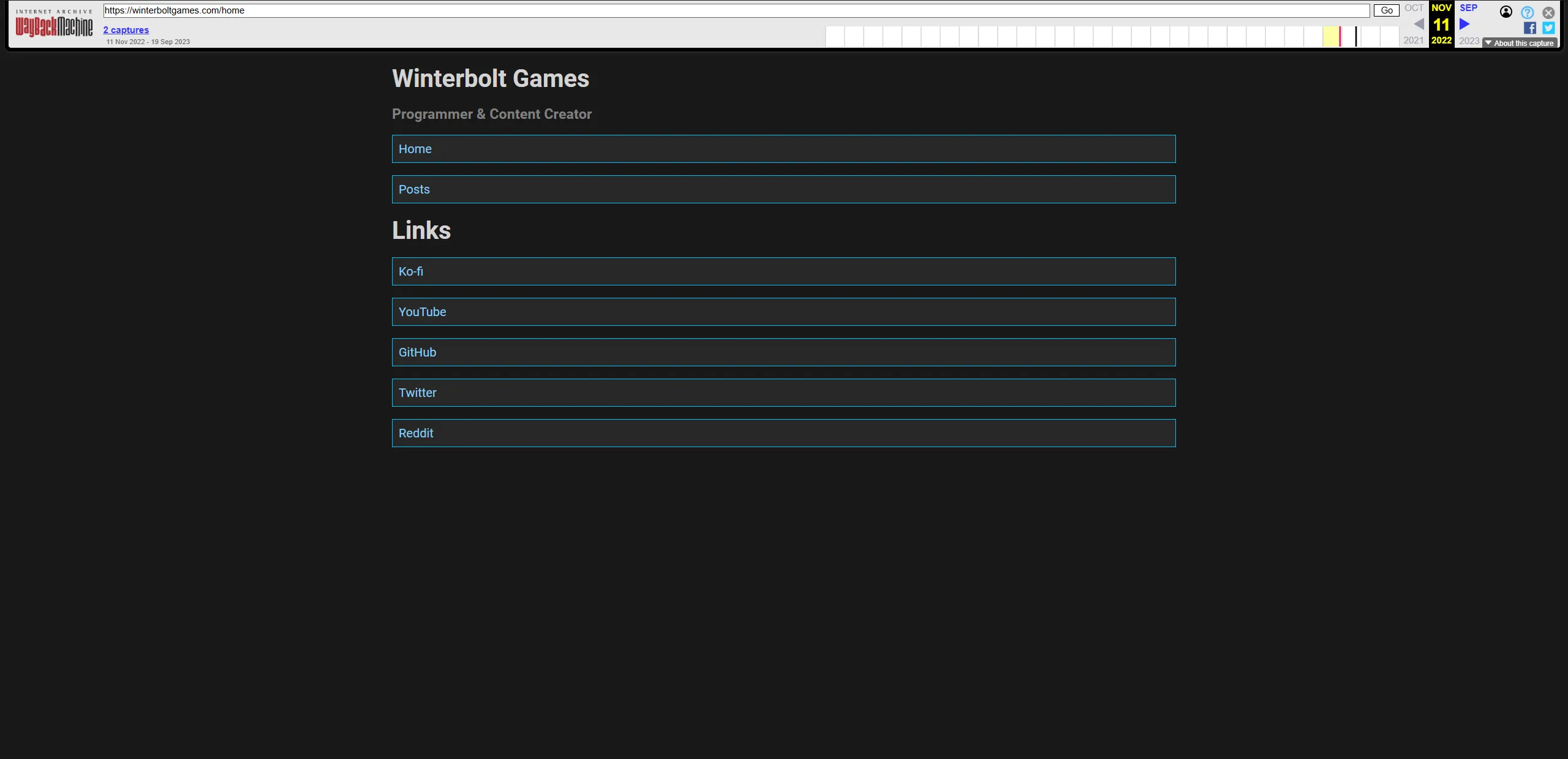
At that point, I had been introduced to frameworks such as Next.js, Nuxt, and SvelteKit.
I tried Next.js, but I didn’t really like it that much due to how “heavy” it felt. I also don’t really enjoy working with React.
I moved on to Nuxt, which I liked in general (Vue rocks!). Still, I disliked isomorphic (server + client) rendering. I know it’s not the only way to use Nuxt, but it wasn’t what I wanted for this site. It had a lot of moving parts, and I found data fetching and caching annoying.
After some time, I found out that SvelteKit 1.0 was released in late 2022 and decided to give it a shot.
I fell in love with it.
Svelte makes templating and dynamic content a joy to create. The syntax feels great, and the ecosystem is easy to tap into, since most vanilla JS packages work well.
SvelteKit makes creating web apps with Svelte an almost unparalleled experience. Everything Just Works ™ (most of the time), and the number of features it comes with is fantastic. It isn’t as bloated as Next.js, and its data-fetching model is simpler than Nuxt’s.
In addition, SvelteKit’s recently released Async Svelte and Remote Functions (think tRPC, but built-in) make data fetching even more intuitive.
I rewrote the entire website using SvelteKit and created a CMS from scratch. That took roughly 14 days, give or take. It had features like a private dashboard, file storage (powered by R2), full-text search (powered by Meilisearch first, ParadeDB later), and more.
But then I had an uncomfortable realisation: I had built a lot of software… for myself.
Most of my CMS features were nice-to-haves, not must-haves. What I actually need from the stack is:
- a simple way to store and render content
- image optimisation
- file-based routing
- static output with minimal JavaScript
Full-text search and dashboards are cool, but they are optional.
The tech I was using could already do all of that and more. But that’s the problem: I did not need it to do “more”.
I had heard of Astro before and used it briefly, so I decided to revisit it.
I was blown away! It checked all of the boxes.
- Content collections make storing and retrieving content a breeze.
- It includes image optimisation out of the box.
- It has file system routing.
- It renders to static HTML/CSS by default, and ships JavaScript only when you opt into client-side hydration.
So, I sat down earlier today and decided to migrate the entire website once again, this time to Astro.
It took less than 5 hours, and I enjoyed every bit of it! At no point was I stuck. Astro has some of the absolute best documentation I’ve come across. Features have detailed explanations and examples, gotchas are documented and are easy to find, and there are plenty of guides on a multitude of topics.
Instead of storing content in a database, I switched to Astro’s content collections and Markdown/MDX. When using SvelteKit, I manually queried, parsed, and rendered Markdown (yes, I could have used mdsvex, but I had already built a custom pipeline…). This makes authoring content so much easier than before because I can use a dedicated Markdown editor like Typora or VS Code to edit Markdown files directly, with full Git integration and all the goodies that come with it.
I also decided I didn’t really need the dashboard/CMS features day to day, so I dropped them.
Instead of relying on an external image optimisation service or manually writing scripts to generate srcsets for images and optimise them, Astro gives you image optimisation with minimal setup. It’s easy to apply consistently across the site. (I know SvelteKit has @sveltejs/enhanced-img, but Astro’s approach fits this project better)
And of course, the awesome Astro CLI. It makes adding integrations trivial by auto-configuring most things with sane defaults.
When it came to deployment, all I had to do was upload the build to my server, serve the dist/ folder with Caddy, and slap Cloudflare in front of the whole thing for good measure.
That’s it. Updating the website is easy, too. Just rebuild the project and reupload the files.
I didn’t add post search, but I could if I wanted to: a couple of islands (hydrated, interactive components) and some JavaScript would do it.
Overall, it was a smooth, enjoyable experience.
Thanks to the incredible team behind Astro for creating such a fantastic framework, and thank you for reading.